
May 15, 2026 · California POST agencies
California POST release notes
Guardian released new updates for agencies using California POST. If you’re not a California POST agency, you can skip this one.
If you are a California POST agency but haven’t switched on California POST mode yet, give our support team a quick call and we’ll get you set up so you can use the features below.
Video walkthrough
Prefer to watch?
We put together a short video walkthrough of everything in these notes. If you’d rather see the changes in action than read about them, jump straight to the player.
Watch the walkthrough →Otherwise, here’s what’s new.
A new look for the Background Narrative Report
Your background narrative now follows the same order and the same section titles as the official California POST template — both in the online ID Report and in the PDF you download.
You don’t have to do anything to make this happen. Keep adding your narrative the way you always have, and Guardian will sort it into the right sections for you. When your auditor opens the report, everything is already lined up to match what they’re expecting to see.
See every narrative in one place
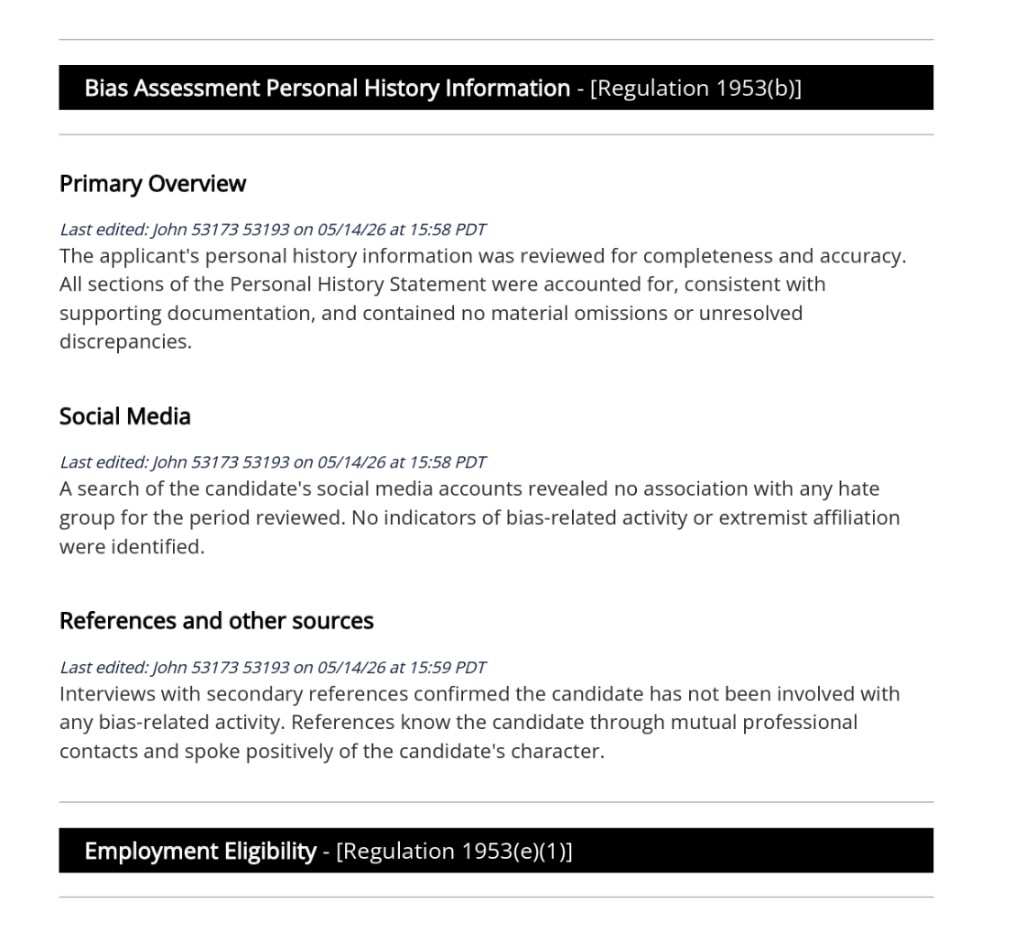
We added a new link on the ID Report called Narrative (All Sections). Click it and you’ll see every narrative on a single page from top to bottom. It’s a read-only view, which makes it great for:
- Reviewing the full investigation in one shot
- Letting an auditor scan everything without clicking around
- Catching anything that still needs to be filled in
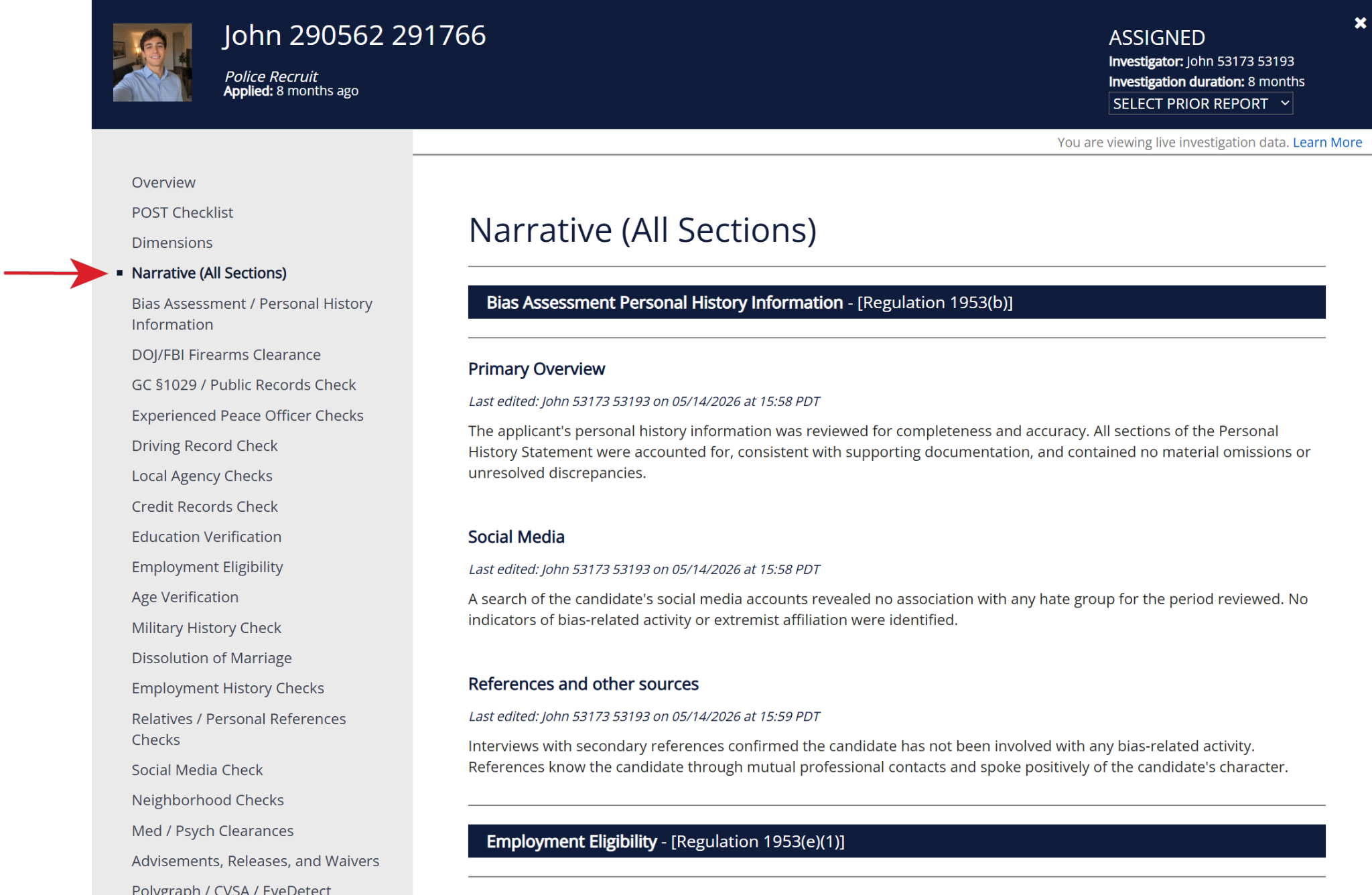
You can still click through each section one at a time like before — this is just another option for people who prefer to see it all together.
Updated tab names and order
We renamed and rearranged the investigation tabs so they line up more closely with the California POST language and flow. A few examples:
- Personal History Questionnaire → Bias Assessment / Personal History Information
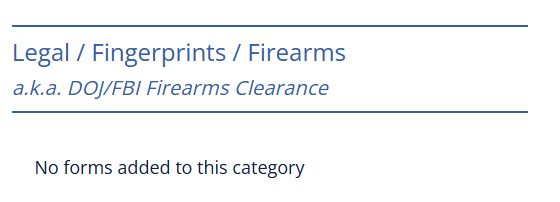
- Legal / Fingerprints / Firearms → DOJ/FBI Firearms Clearance
- Financial Check → Credit Records Check
- Agency Checks → Local Agency Checks
- National Decertification Index (NDI) → Experienced Peace Officer Checks
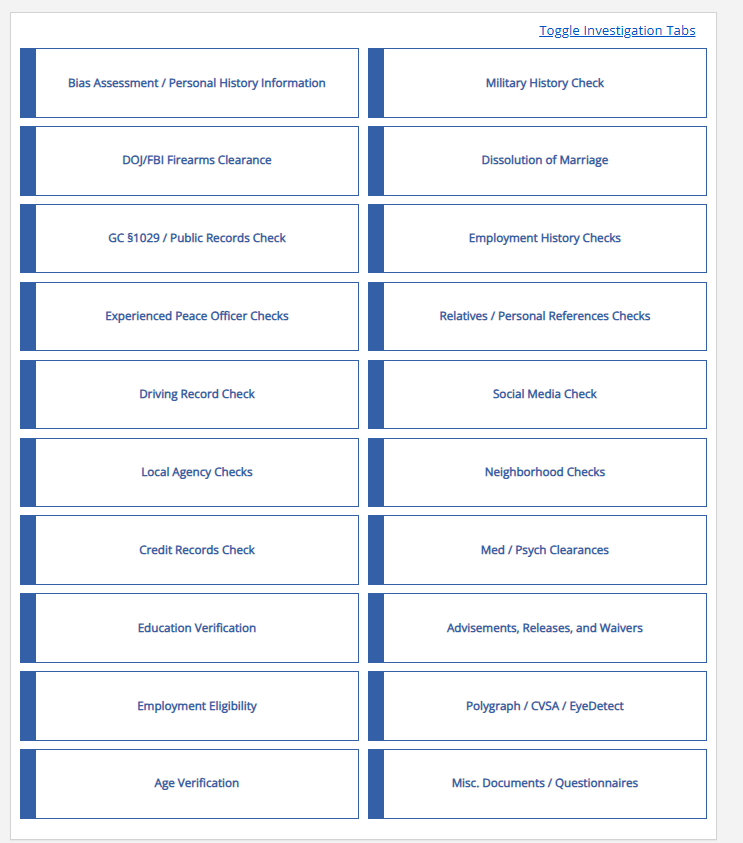
We also added two brand-new tabs so your narratives have a clear home:
- GC §1029 / Public Records Check
- Employment Eligibility
Some tabs now have more than one narrative box
A handful of tabs need to feed more than one section of the final report. To keep things clean, we split those tabs into separate narrative boxes — one for each section. You’ll see this in:
- Bias Assessment / Personal History Information — Primary Overview, Social Media Results for Bias, References and Other Sources
- GC §1029 / Public Records Check — GC §1029, Public Records
- Experienced Peace Officer Checks — NDI, POST Profile
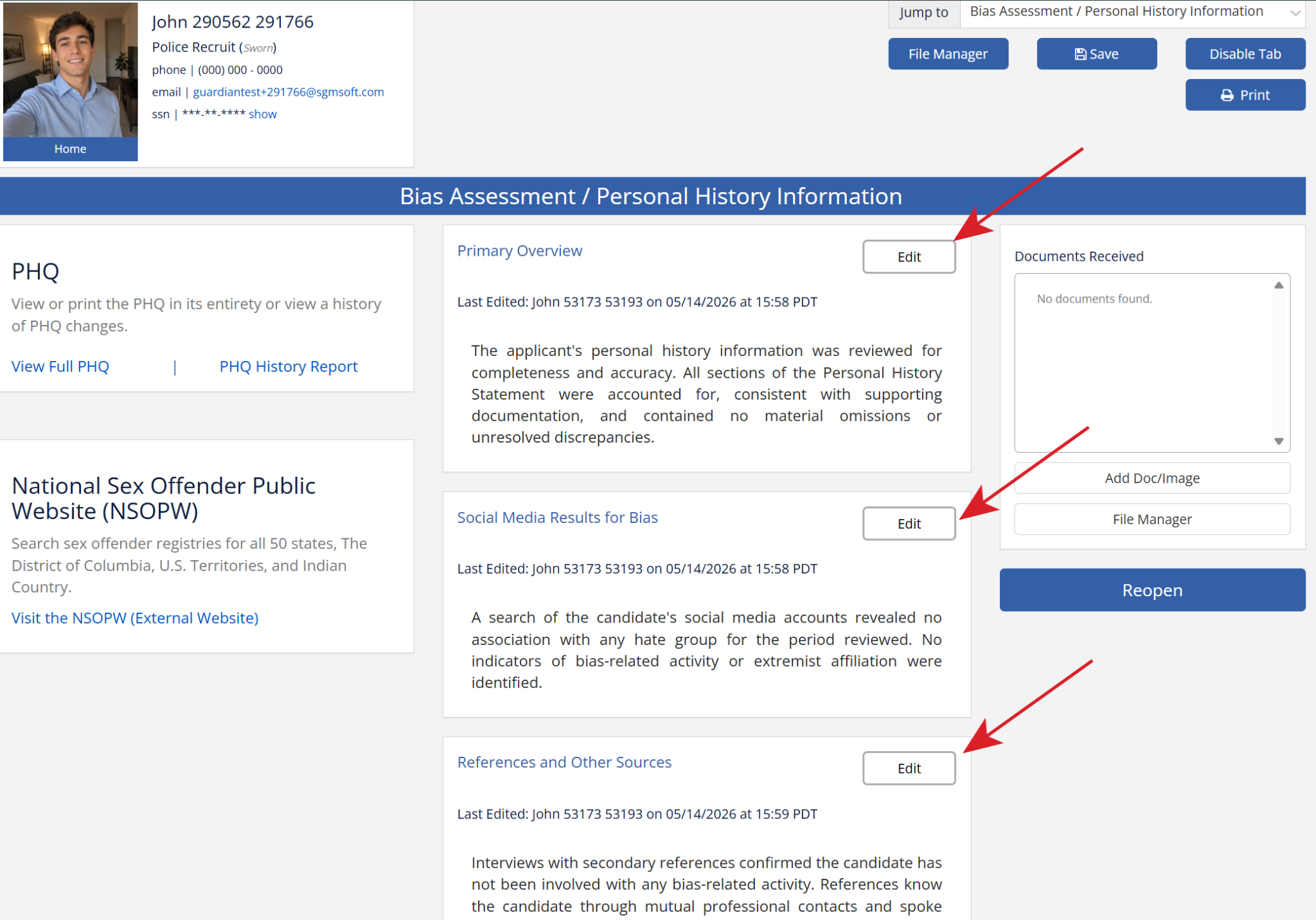
Just type each piece of your narrative into the matching box, and Guardian will send each one to the right place in the report. No formatting or labeling needed on your end.
Already doing your own section breaks? No problem. You don’t have to go back and update old work. If a box is left empty, we won’t show the label, so nothing will look repeated or out of place. Going forward, just type into the appropriate box as you write.
Both names are shown in Forms & Templates
When you go into Forms & Templates to file a form under a tab, you’ll see the Guardian name we’ve always used, with a small “also known as” showing the California POST name next to it. That way you can recognize the tab either way — whichever name feels more familiar.
New: choose the format per position
In the past, “California POST” format applied that format to every position in your agency. Now it’s flexible. When you create a new position in the Position Manager, you’ll see a new box called Investigation Format with two choices:
- Guardian Default
- California POST
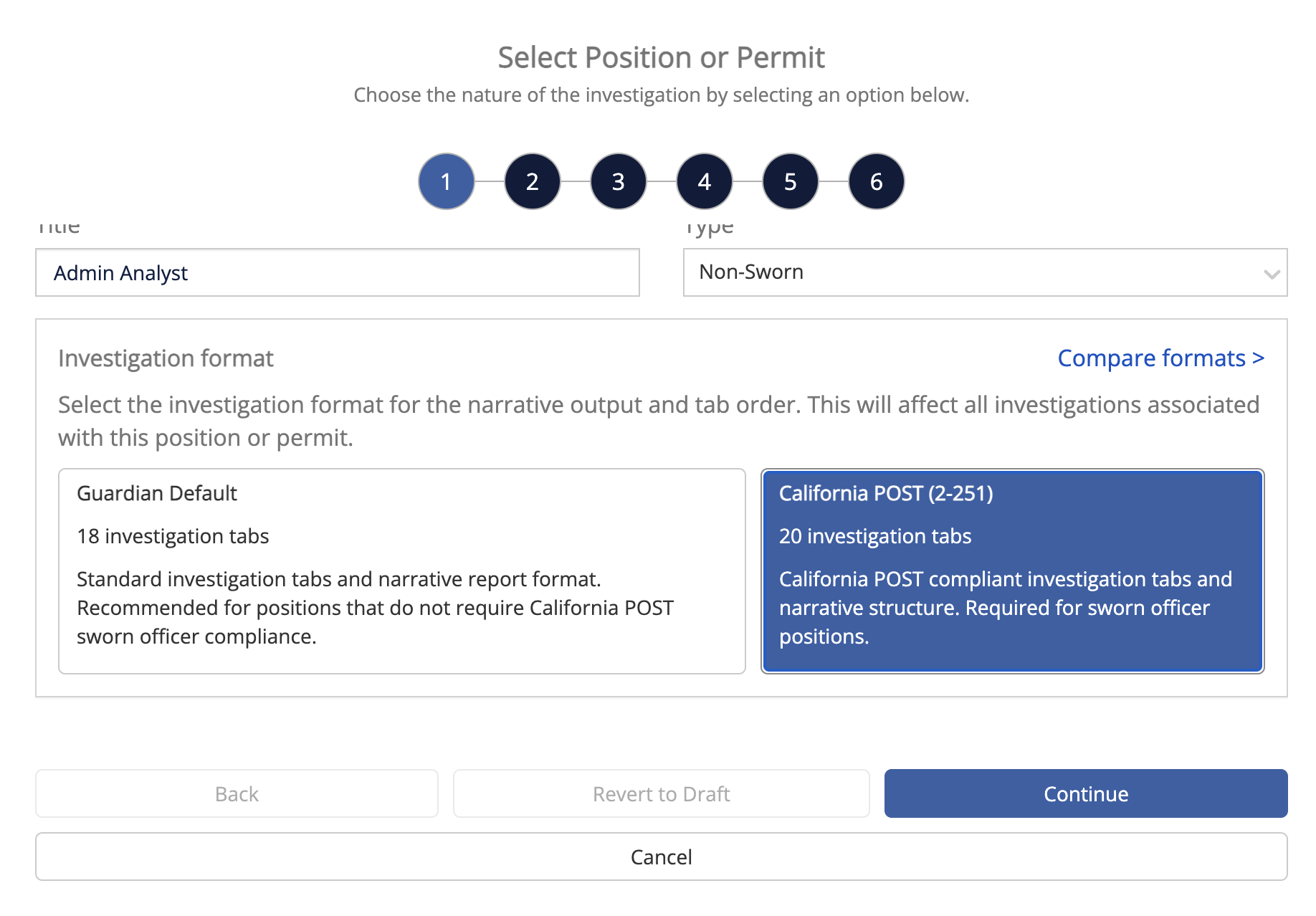
California POST only audits sworn positions, so you can use the California POST format for those and Guardian Default for your non-sworn positions if that fits how you work. Or you can keep using California POST across the board — totally up to you.
Not sure which to pick?
Click Compare Formats right there on the screen. It shows you:
- The tab layout for each option
- Which tabs were renamed or added (clearly labeled “renamed” or “new”)
- A sample of how each version’s narrative report comes out
What about reports I’ve already generated?
PDFs you’ve already downloaded stay exactly as they were — those don’t change. If you want a copy in the new format, just generate the report again. The online ID Report will automatically show the new layout going forward.
Questions?
If you have any questions, or you’d like us to switch your agency over to California POST mode, please reach out to our support team. We’re happy to help.
Thanks for reading — and thanks, as always, for partnering with us.
Contact support: support@guardianalliancetechnologies.com